
The Importance of Safety Inspections
In terms of workplace safety, the Occupational Safety and Health Administration (OSHA) is the controlling authority in the United States responsible for setting and enforcing protective workplace safety and health standards.
OSHA standards are rules that describe the methods employers are legally required to follow to protect their workers from hazards. Before OSHA can issue a standard, it must go through a very extensive and lengthy process that includes substantial public engagement, notice and comment. The agency must show that a significant risk to workers exists and that there are feasible measures employers can take to protect their workers.
These standards, for example, limit the amount of hazardous chemicals workers can be exposed to, require the use of certain safe practices and equipment, and require employers to monitor certain workplace hazards.
OSHA’s general industry powered industrial trucks standard at 29 CFR 1910.178 contains safety requirements relating to forklifts, tractors, platform lift trucks, motorized hand trucks, and other specialized industrial trucks powered by electric motors or internal combustion engines.
These material handling equipments are fundamental for a wide range of industries, but if not used properly, they could cause serious injuries and even fatalities.
The OSHA Standard 1910.178 covers numerous requirements for employers and employees to achieve a safe and healthful workplace.
One of the key requirements is the pre-shift inspections.
Section 1910.178(q)(7) reads:
This document is a handbook for the pre-shift inspection option as part of the PoziTech SmarTrucksystem.
SmarTruck Forklift Safety Inspection
The following pre-shift inspection process not only aligns with the OSHA standards, but it is a far better solution for employers and employees than a paper-based process.
The SmarTruck solution provides a complex ecosystem for tracking, managing, and supporting logistics and storage processes carried out by using forklifts and other vehicles (MHEs). By making these processes transparent and properly documented, the SmarTruck solution can provide a solid base for analyzing the related processes and supporting optimization.
The card-based operator identification used by the SmarTruck system provides the possibility to manage the drivers’ permissions; the system only allows the MHE to be used by drivers who have been previously authorized to.
This identification and authentication procedure can be used for digital pre-operation inspections. Inspections can be completed on portable handheld devices connected to the system, displaying a customized daily checklist specific to the type and drivetrain of the forklift under inspection. The operation of the forklift is restricted by the system until the inspection is completed. Furthermore, accurate logging provides clear accountability and objective responsibility.
PoziTech Safety Inspection App
PoziTech Safety Inspection, part of the SmarTruck platform, ensures effortless compliance with OSHA regulations through digital pre-operation inspections.
Installation and Initial Configuration
All existing client of the PoziTech Safety Instruction solution get a client-specific quick installation and configuration guide containing the following key information:
- Installation of the app (through Google Play Store or QR code)
- Configuration of the app (using a unique, client-specific QR code)
- Access the user manual of the PoziTech SmarTruck pre-shift inspection process
The structure of the unique “Get Started” instruction sheet granted to the clients:
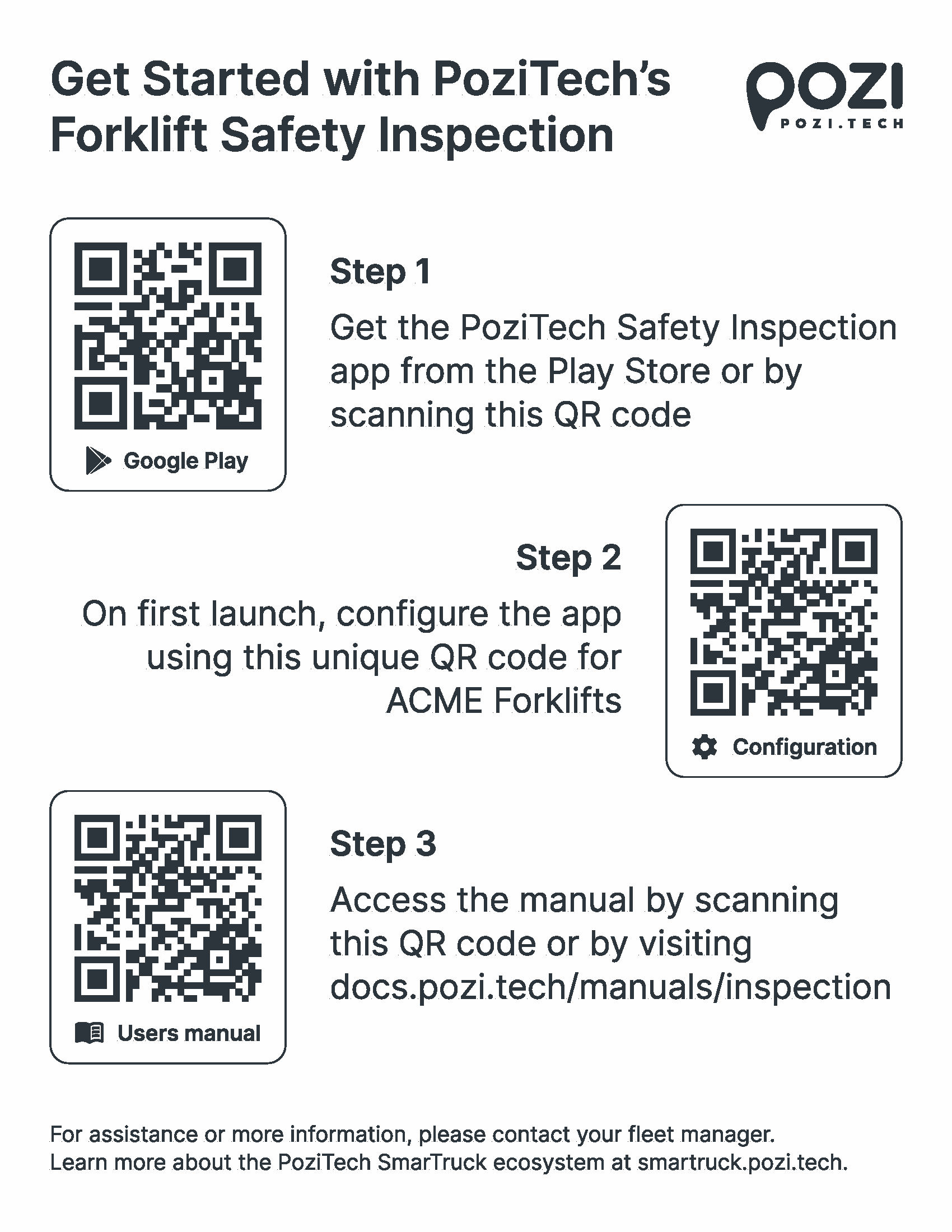
Once the installation of the app is completed, an initial setup procedure begins on the first launch.
After successfully scanning the QR code, the name of the loaded configuration appears. Among other parameters, the configuration determines the timezone, the language of the user interface, and shift intervals,
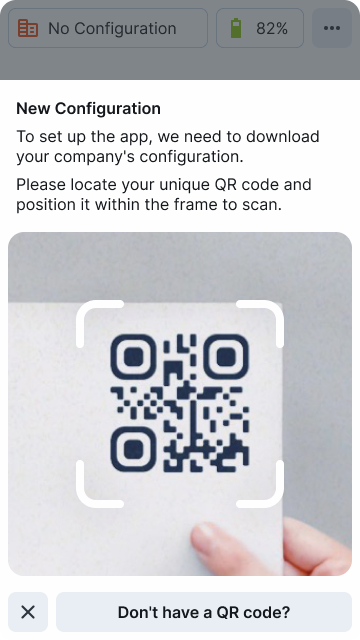
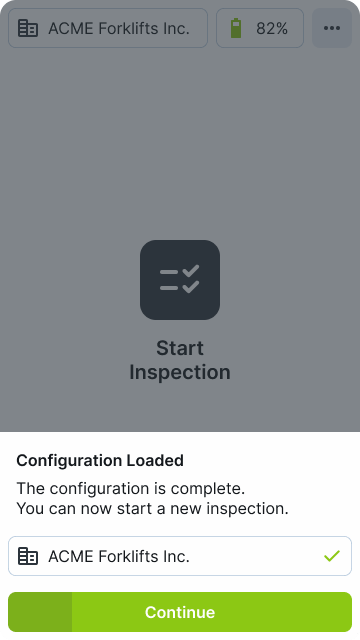
Launch the PoziTech Safety Inspection Application
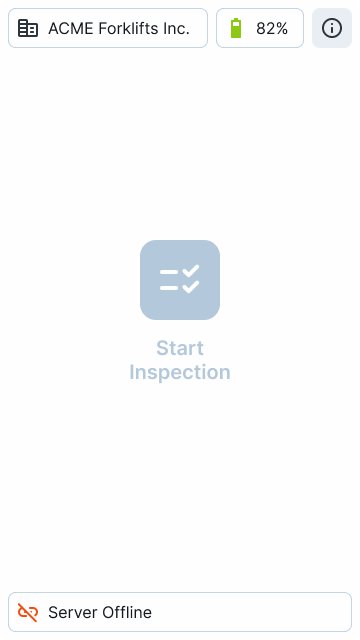
If the initial setup procedure is successful, the following screen will be the Home screen each time you start the application:
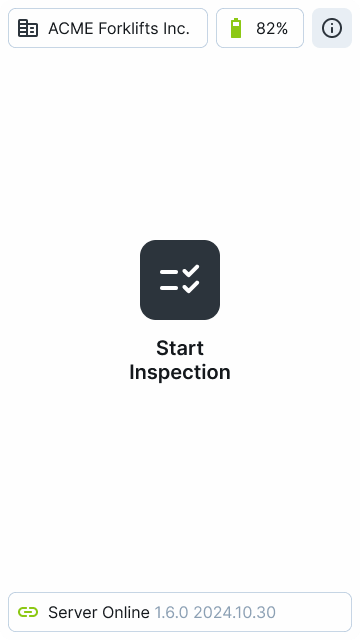
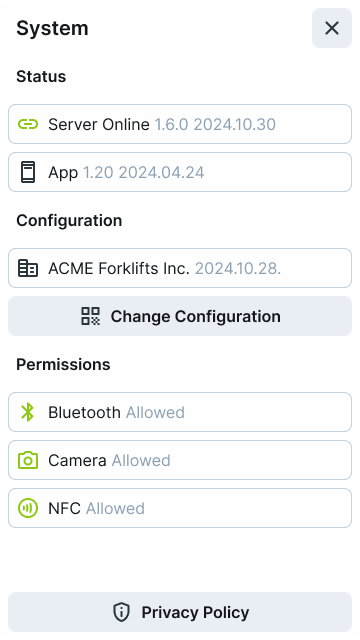
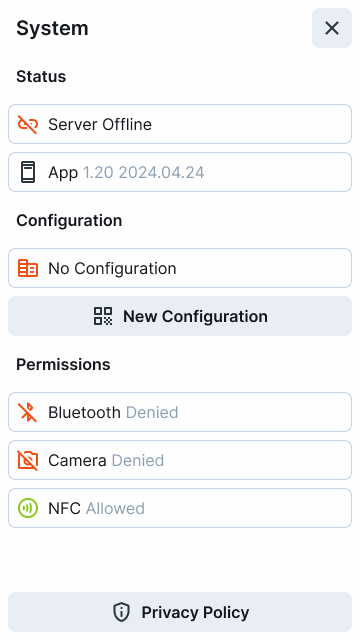
On the System Status screen (button is located in the upper-right corner of the Home screen), there is information about the configuration and the permissions granted to the app.
Start Inspection
To initiate the pre-shift inspection procedure, complete these two steps sequentially:
1. Authenticate yourself on the forklift you want to use!
Scan your access card at the card reader on the forklift dashboard! To accomplish this, place your card into the reader’s card holder. Please note that the card must remain in the holder during the entire forklift operation, as the system functions as an immobiliser.
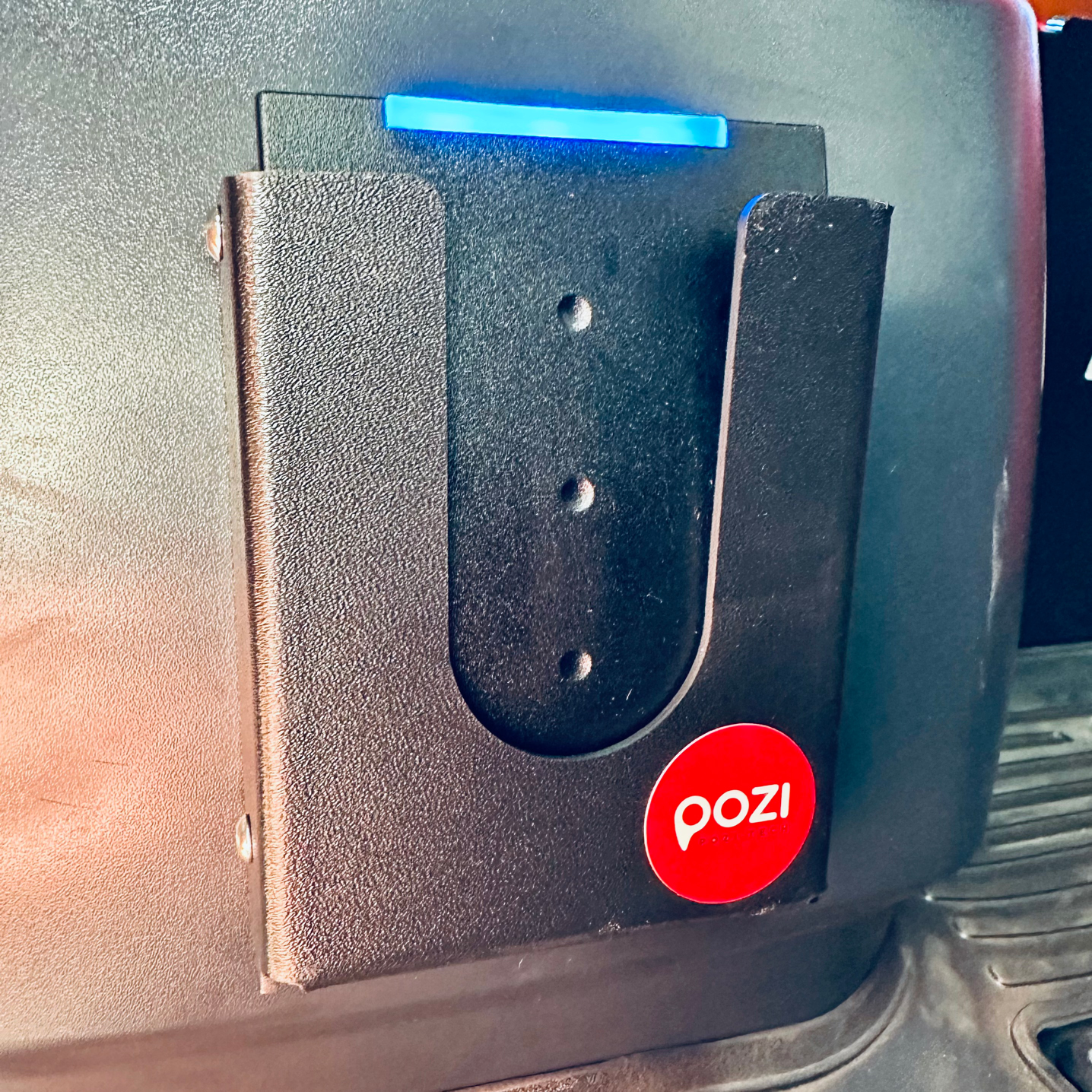
If the forklift is ready for authentication, the card reader displays a solid or alternating blue light.
The card reader displays a white flashing light if the authentication is successful and the pre-shift inspection is required. Typically, performing only one inspection in every shift per forklift is required, but the client may provide otherwise.
The card reader displays a solid green light upon authentication if an inspection has already been performed on the given forklift for the shift and another inspection is not required. In this case, the forklift is ready to use.
2. Connect your phone to the forklift!
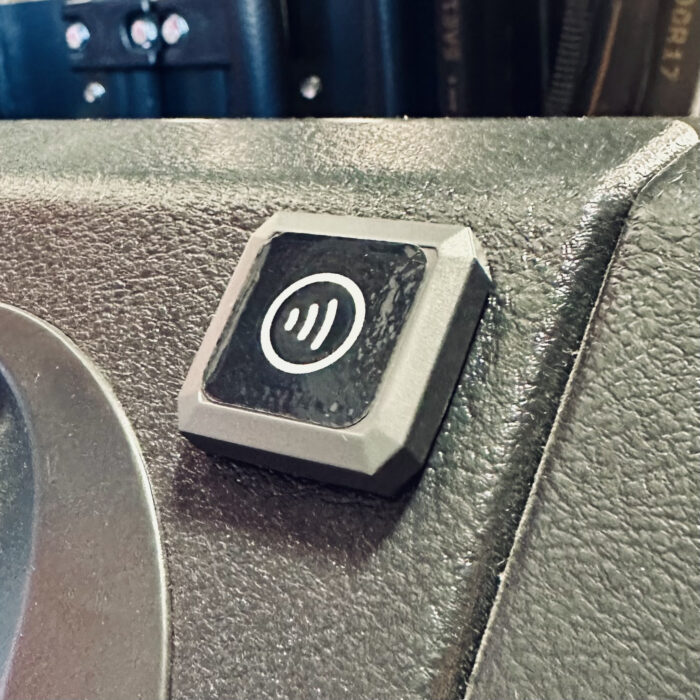
Touch the back of your phone to the NFC tag on the forklift dashboard. As the reading range of an NFC tag measures in centimeters, it is important to place the handheld device correctly on the tag. Devices usually have the NFC chip on the back at the top or middle.
Running the app is not necessary for reading the NFC tag, but the screen of the handheld device has to be unlocked.
After reading the NFC tag, the Bluetooth connection will start automatically to connect the forklift.
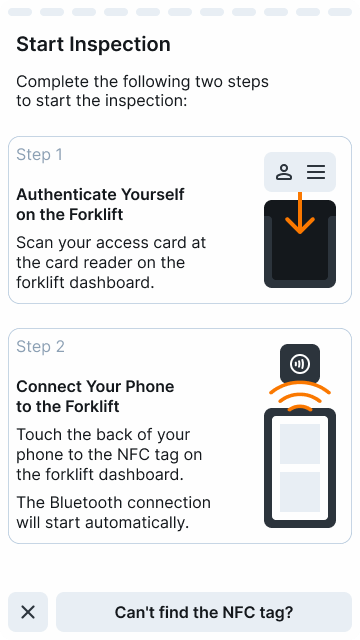
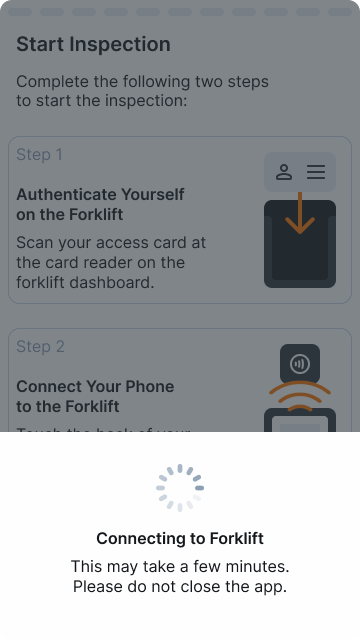
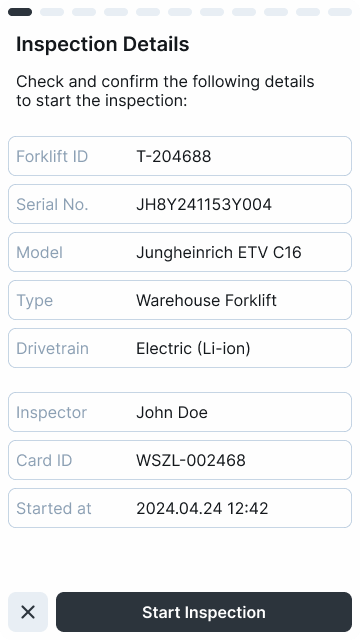
After successful authentication and connection, an Inspection Details screen appears with basic information about the forklift and the inspector. If all the data is correct, you can start the inspection.
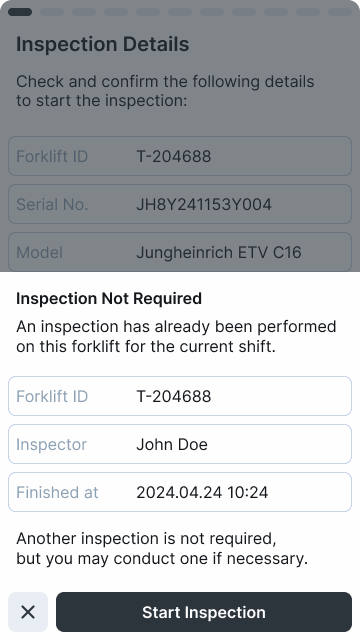
The app shows a message if an inspection has already been performed on the given forklift for the shift and another inspection is not required. But the option is given to conduct a new inspection if the inspector considers it necessary (e.g., if the operation of the forklift is questionable or the inspector is experiencing new damage or malfunction).
The inspection consists of a customized daily checklist specific to the type and drivetrain of the forklift under inspection, presented in the preconfigured language.
A progress indicator at the top of the screen helps estimate the remaining time required to complete the inspection.
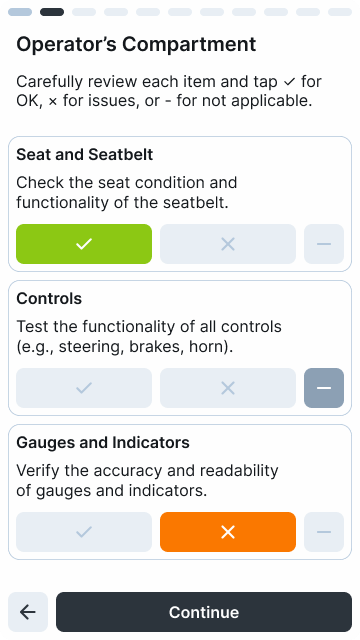
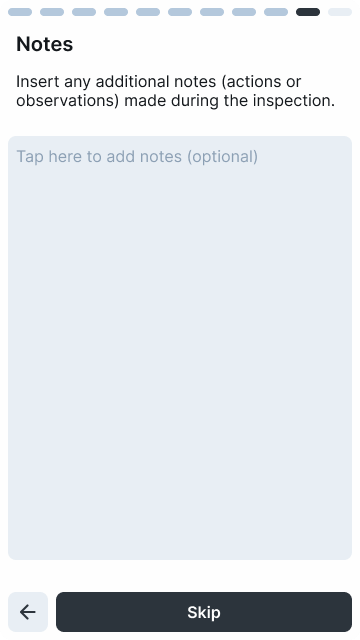
Typically, the items consist of single-choice questions or statements, with the following responses available:
- ✓ for OK
- × for issues
- – for not applicable
In the last step, review and confirm the inspection statement to complete the inspection by tapping the related button.
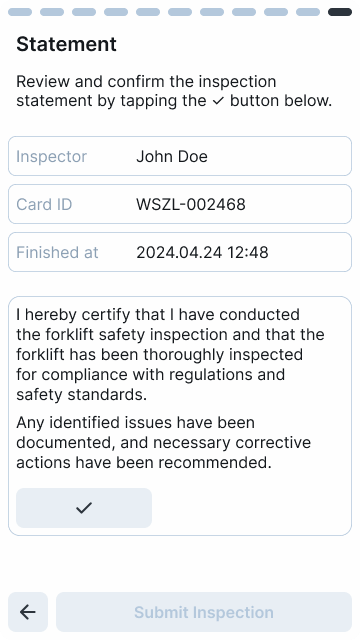
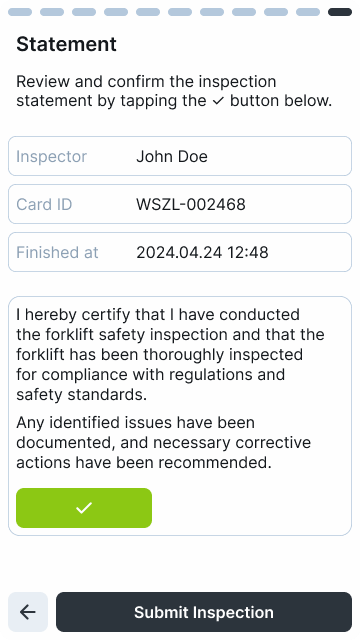
After successfully submitting the inspection, any authenticated employee can operate the given forklift until the end of their shift.
The card reader indicates the inspected state of the forklift with a solid green light upon authentication.