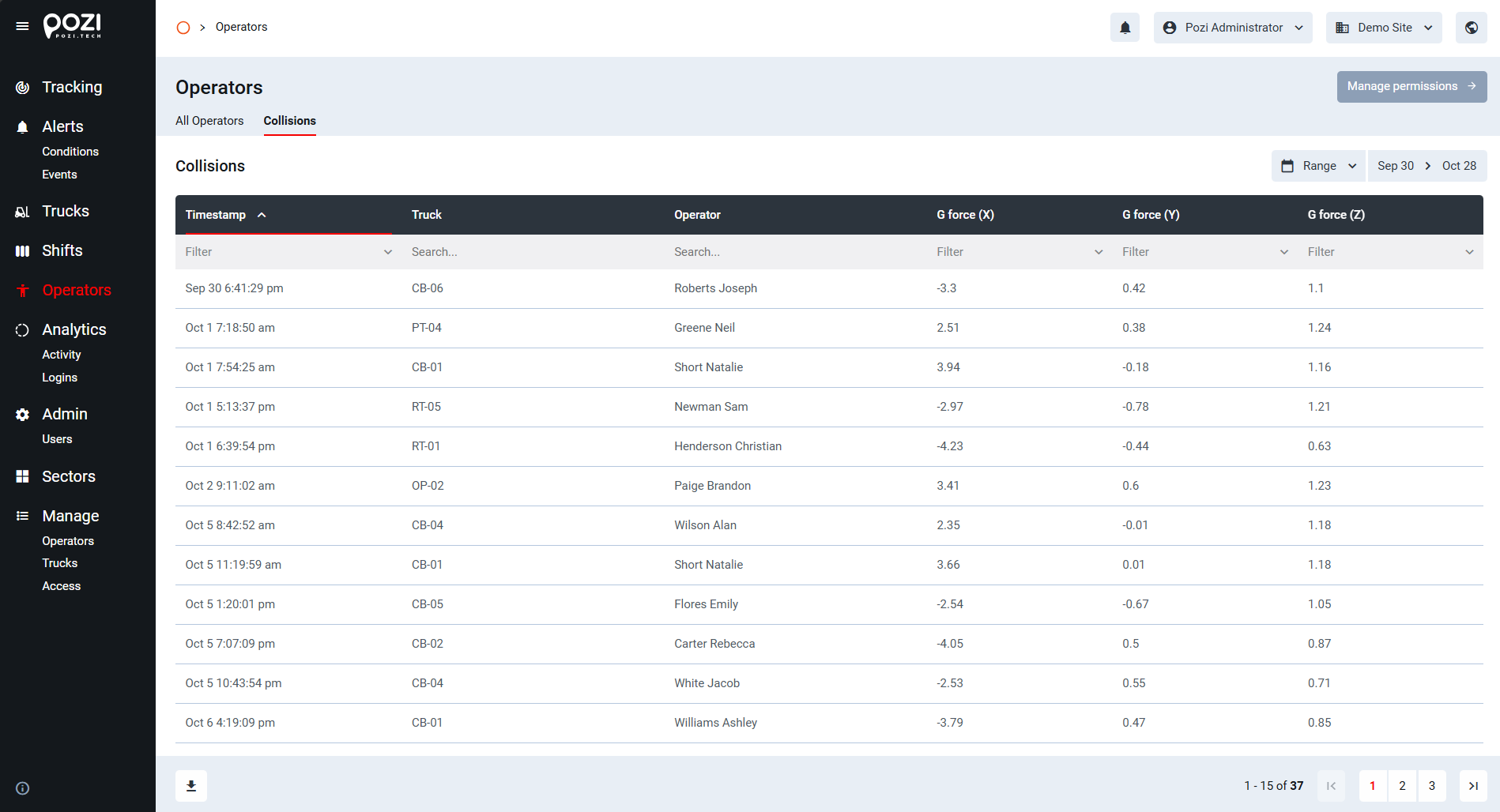
The Operators menu contains two pages:
- All operators
- Collisions
The default page is All Operators. The Manage permissions button in the top-right corner opens the Access Control page in the Manage menu.
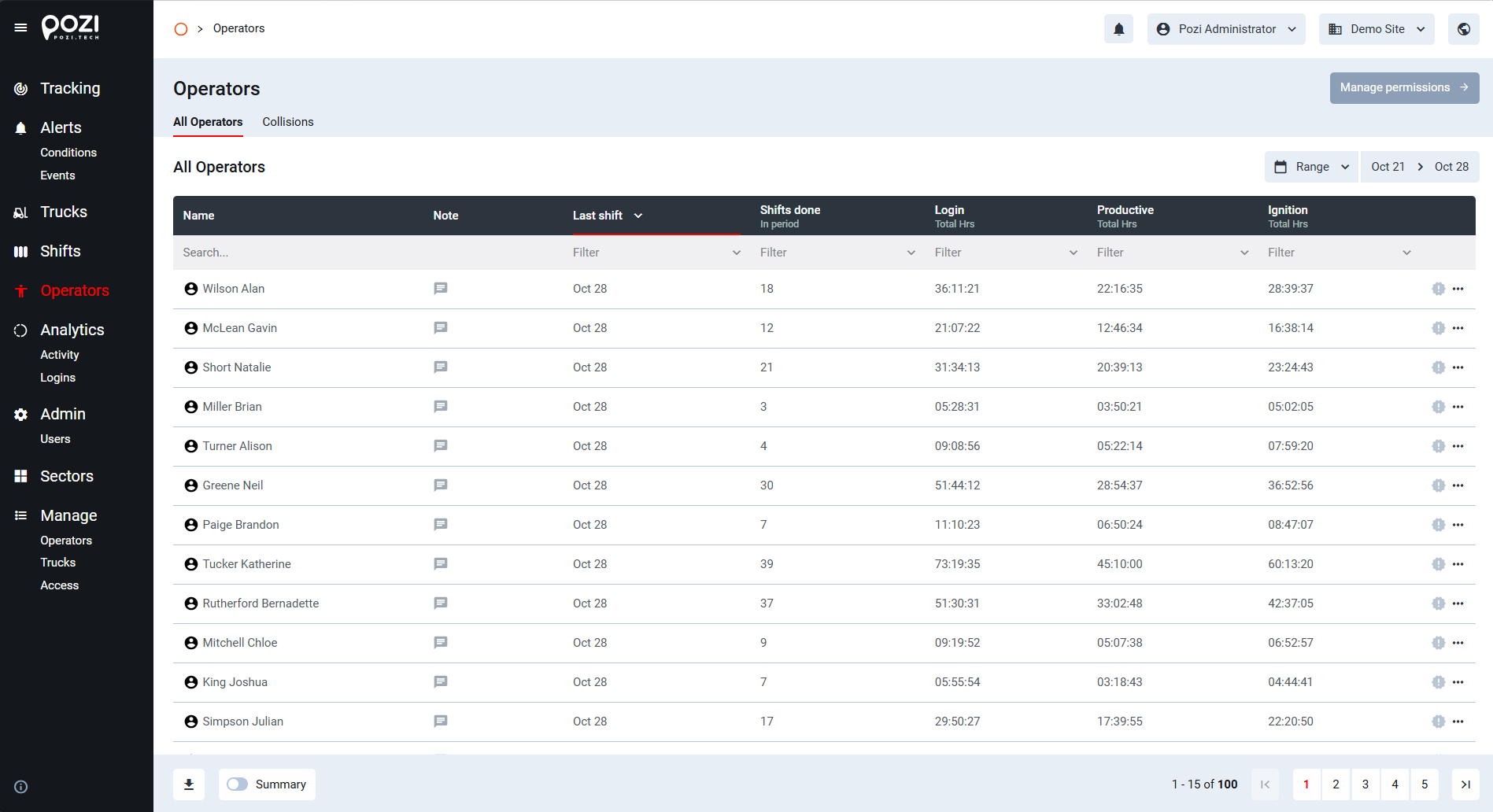
All Operators
This table allows you to search for operators registered in the SmarTruck system. Key information displayed includes:
- Operator names and notes
- Last shift
- Number of shifts done in the selected period
- Logged-in time
- Productive time
- Ignition time
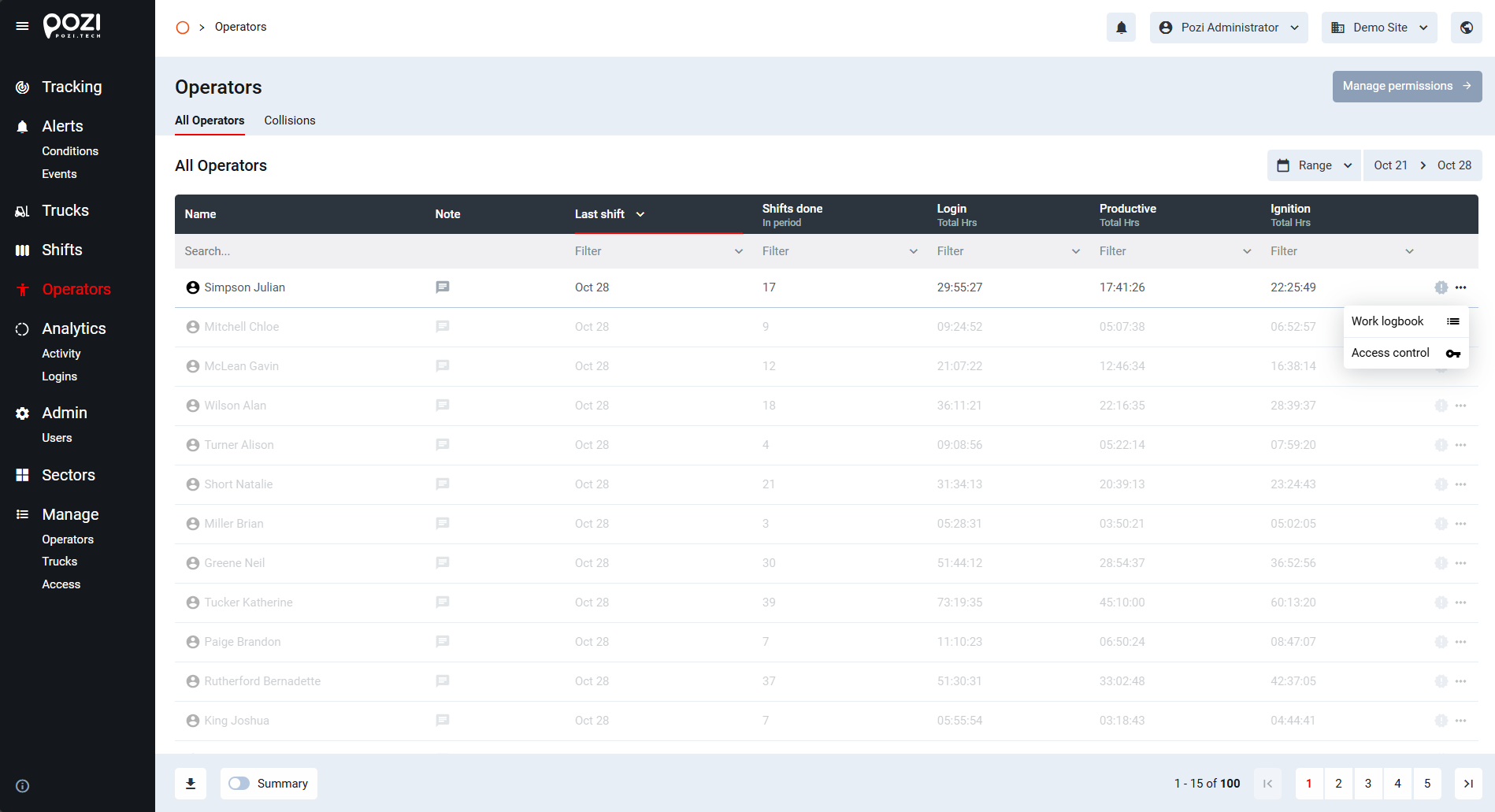
To open an operator’s Work Logbook, click their name. Alternatively, use the … icon at the end of the row to open the Work Logbook or the Access Control page for that operator.
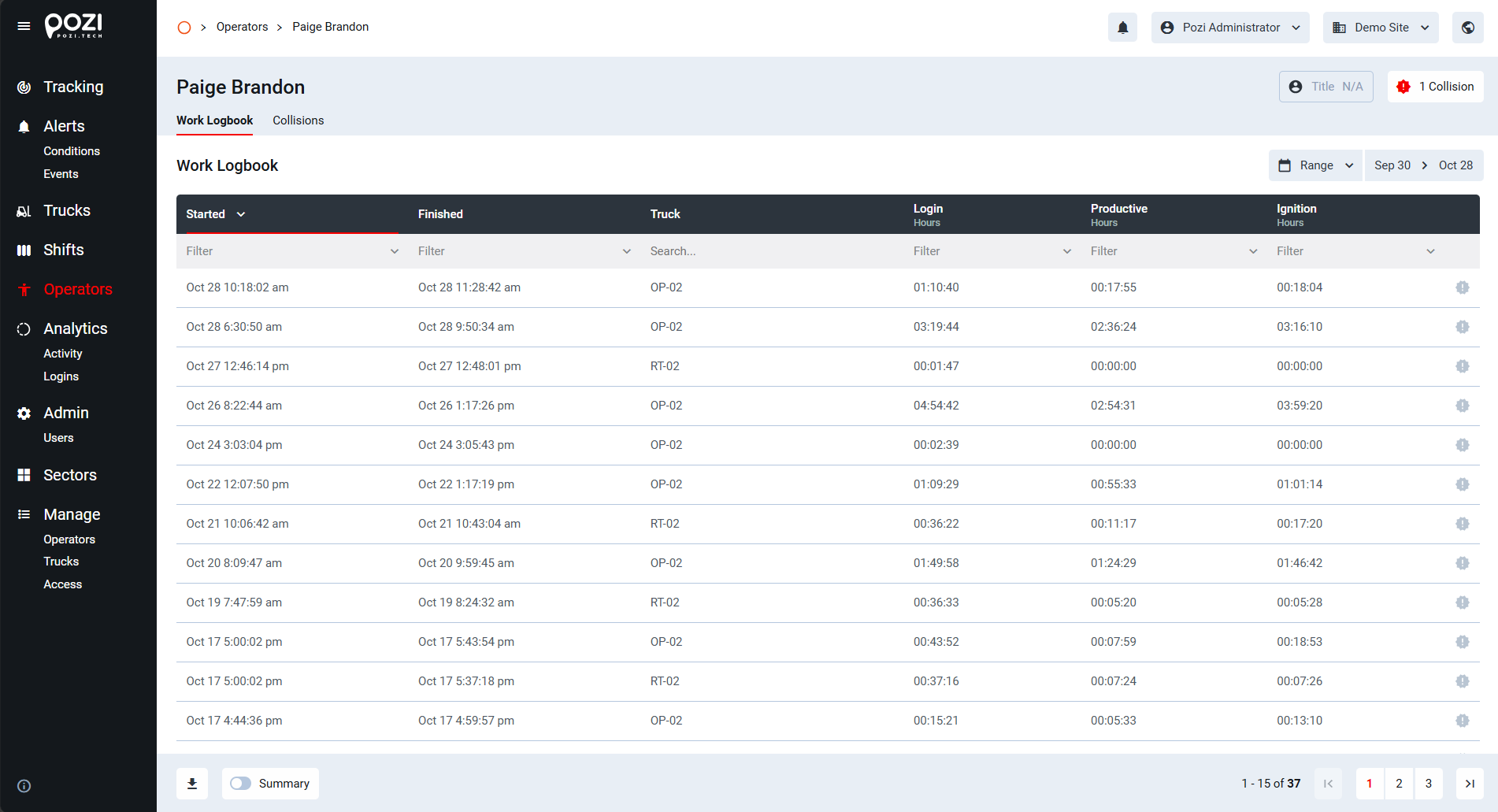
The operator’s Work Logbook lists each login session with its start and end time, the truck used, and the logged-in, productive and ignition hours.
Collisions
Displays collision events involving operators, sorted by timestamp. This table is also searchable and filterable, like other tables in the system.