
In the SmarTruck system, users can define so-called “sectors” on the map using custom polygons. These defined sectors create an additional layer in the system and primarily support data collection for statistical purposes. This feature allows tracking the movement of entities categorized as operators and trucks. Entries and exits from the sectors are recorded with timestamps and entity identifiers.
Sector menu
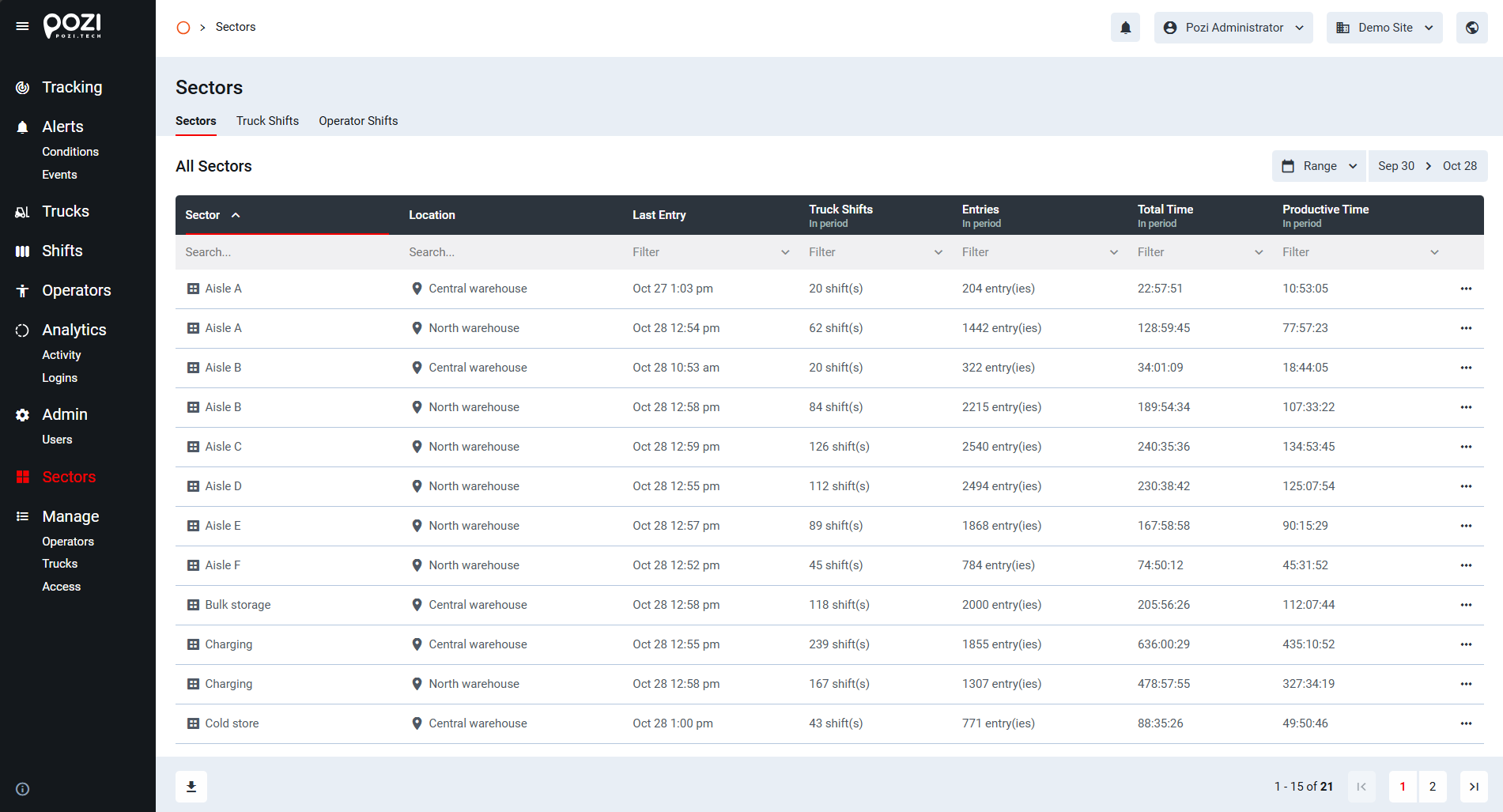
The Sectors menu contains three subpages: Sectors, Truck Shifts, and Operator Shifts.
- The Sectors page displays a list of defined sectors in a familiar table view.
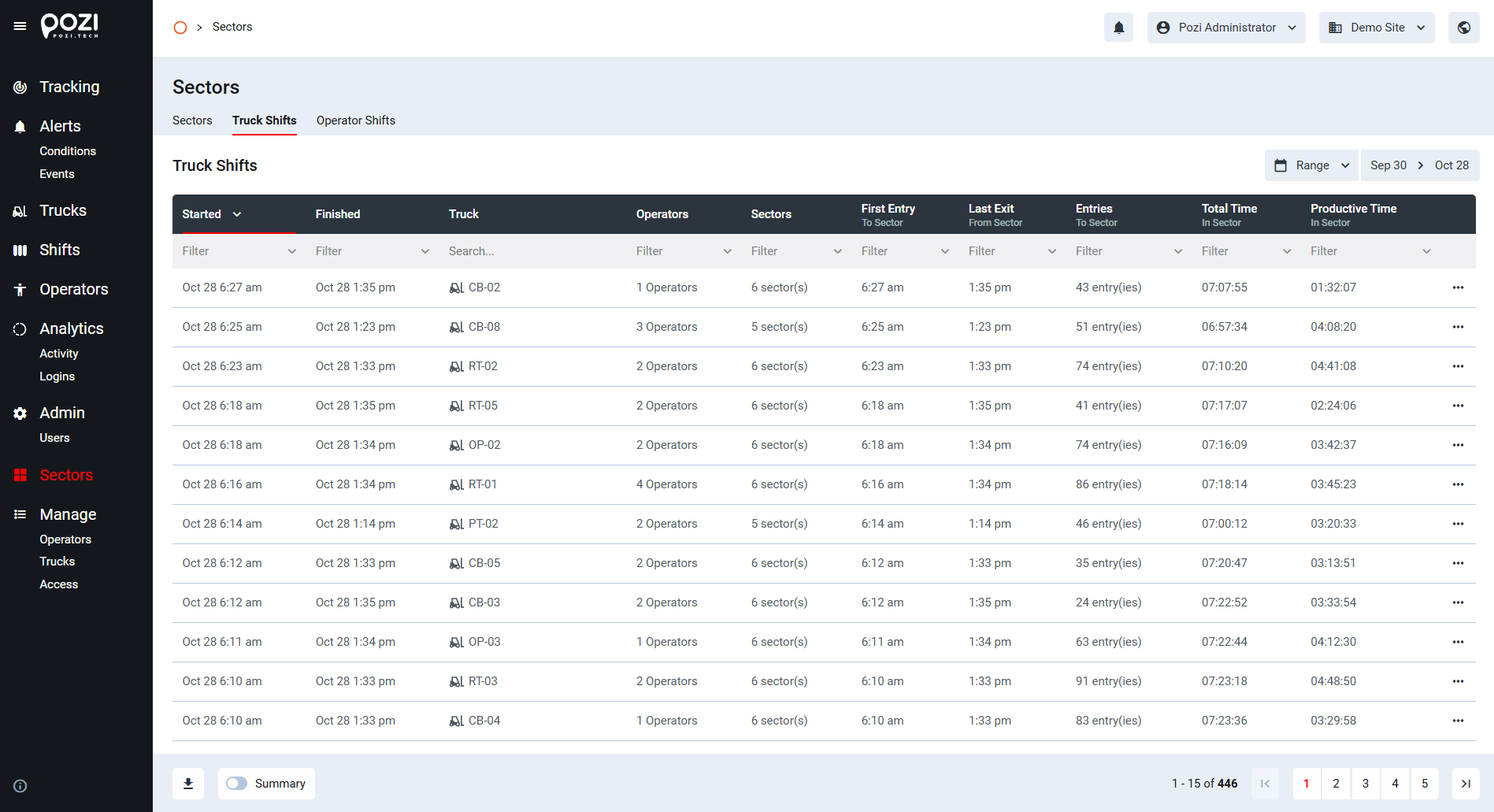
- The Truck Shifts page organizes entry and exit information by trucks.
- The Operator Shifts page shows entry and exit information organized by operators.
Sector Details
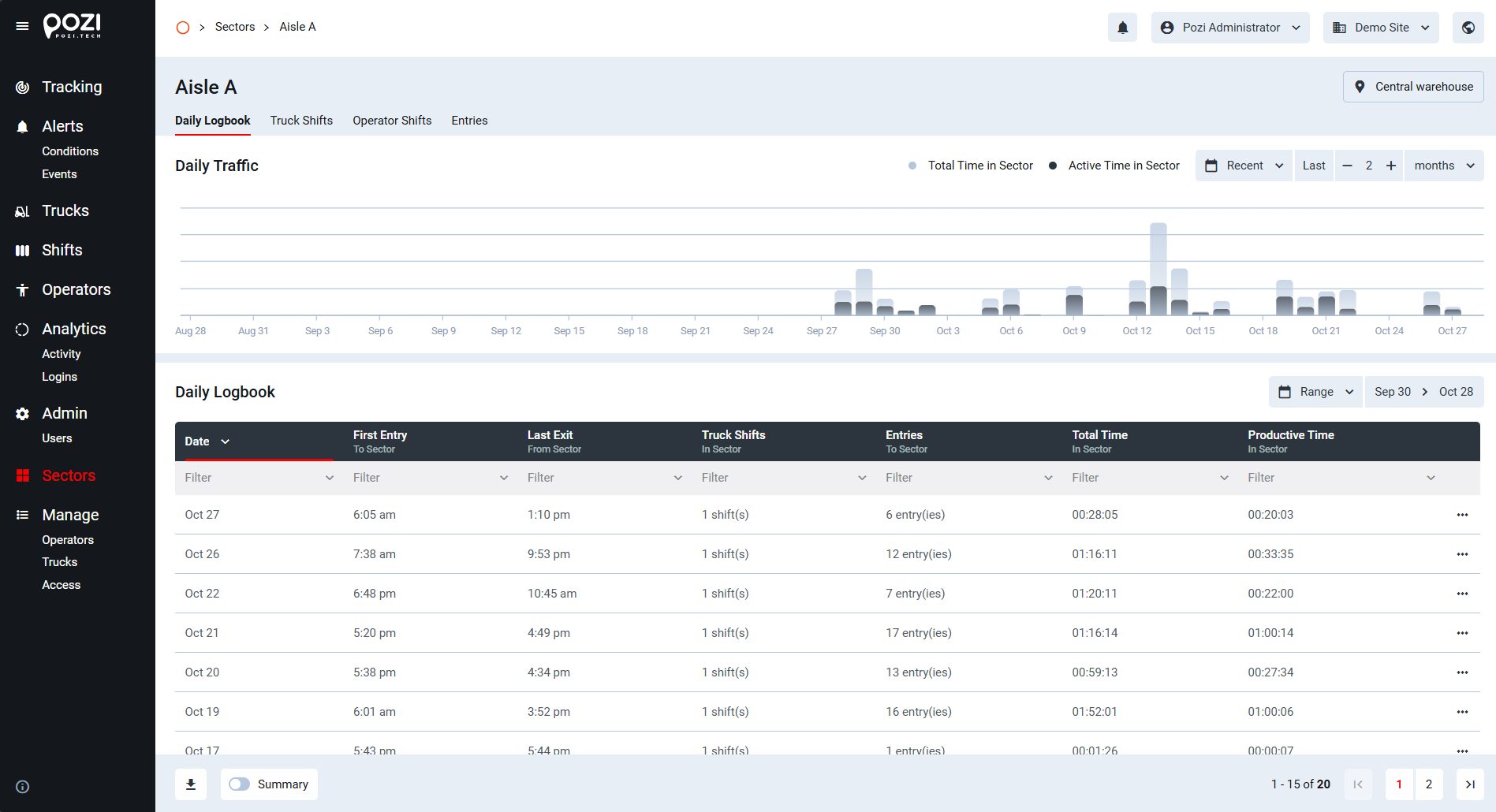
Click a sector’s name, or the … icon at the end of the row and choose Details, to open the detail page of the sector. The name and location of the sector are shown at the top of the page. The detail page contains four tabs:
- Daily Logbook
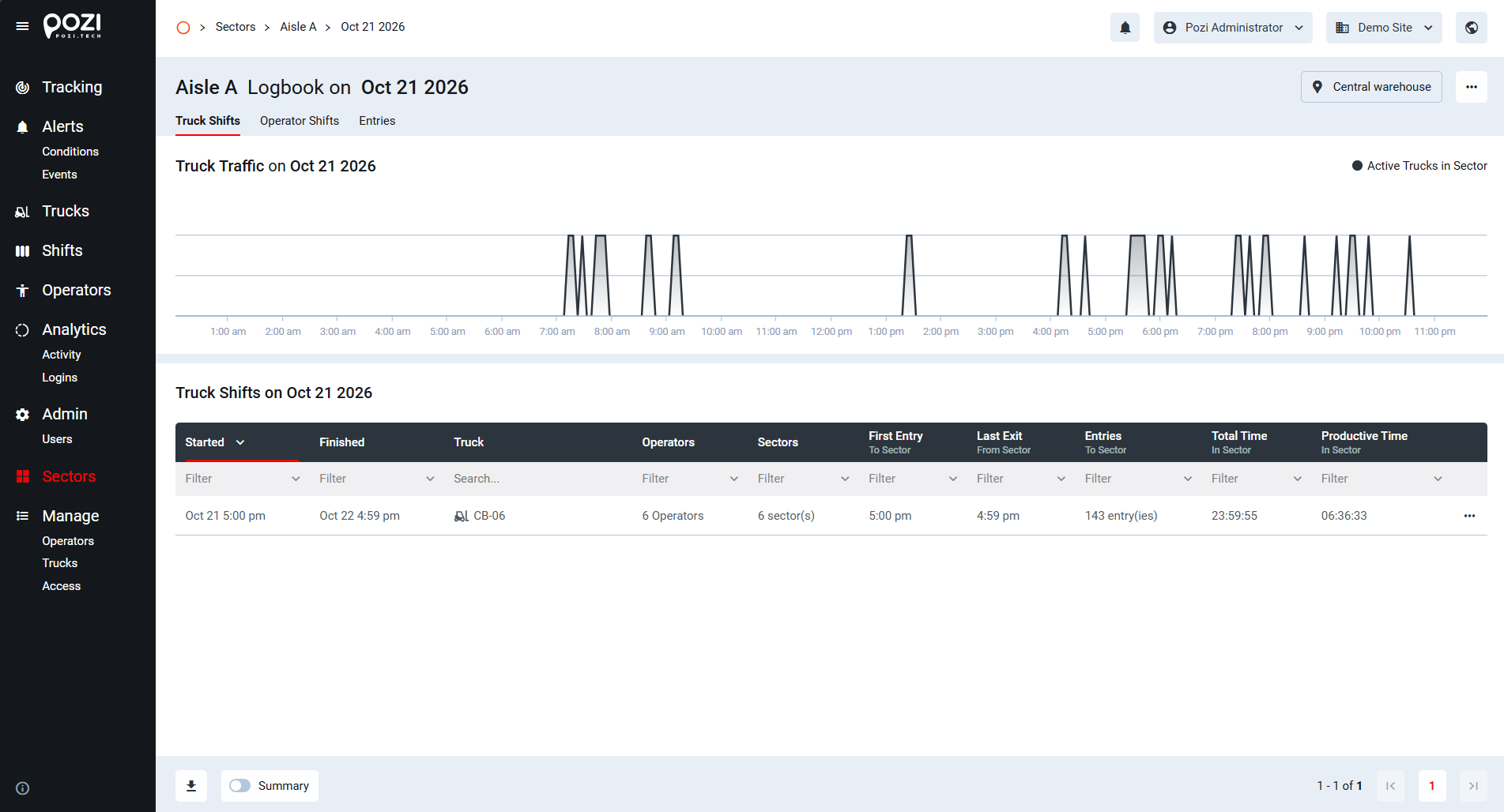
- Truck Shifts
- Operator Shifts
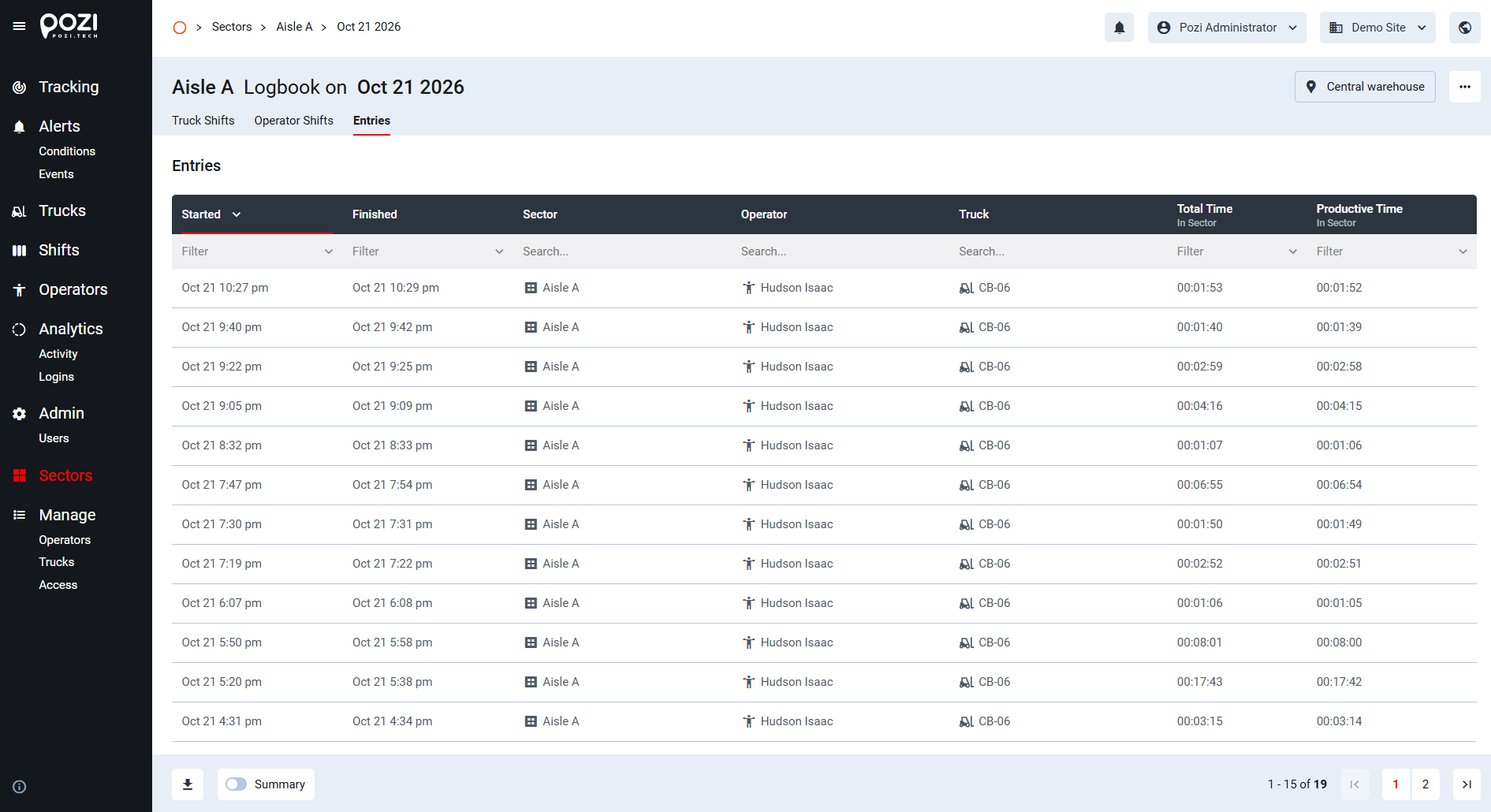
- Entries
The default tab is Daily Logbook.
Truck Shifts
The Truck Shifts page organizes entry and exit information by trucks. Each row represents one shift of a truck, showing the start and end of the shift, the operators who used the truck, the number of sectors visited, the first entry and last exit, the number of entries, and the total and productive time spent in sectors.
Operator Shifts
The Operator Shifts page shows entry and exit information organized by operators. Each row represents one shift of an operator, showing the start and end of the shift, the trucks used, the number of sectors visited, the first entry and last exit, the number of entries, and the total and productive time spent in sectors.
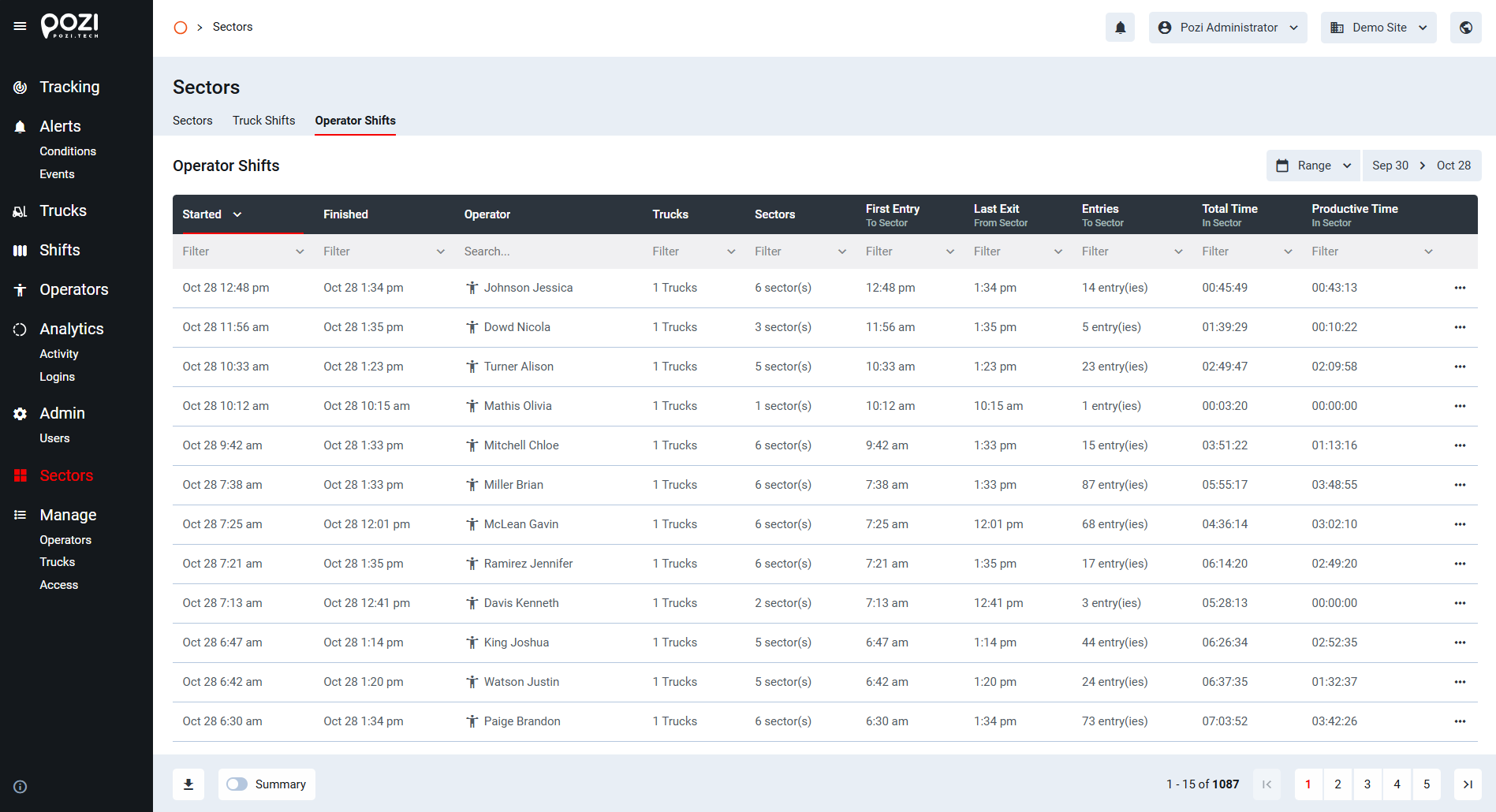
Like other tables in the SmarTruck system, these tables are fully searchable and filterable, and they can be exported using the download button in the bottom-left corner.